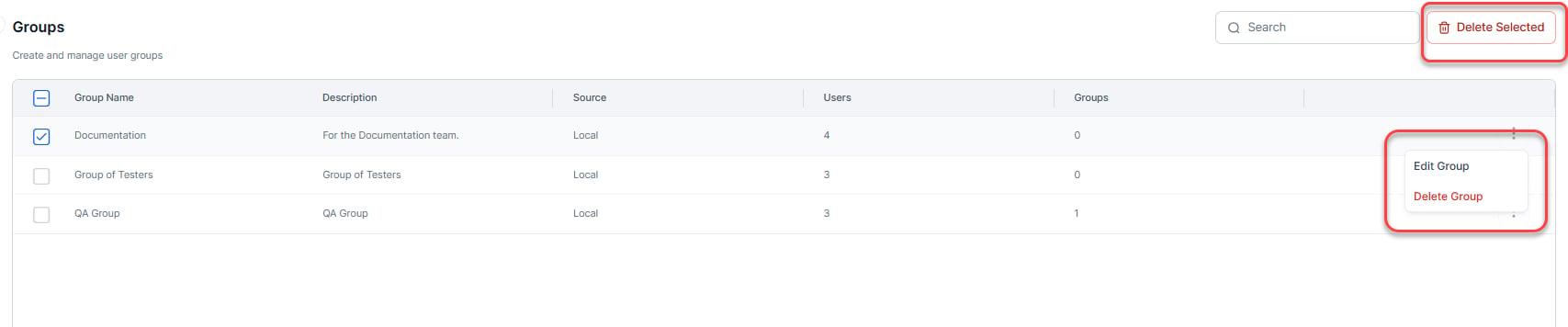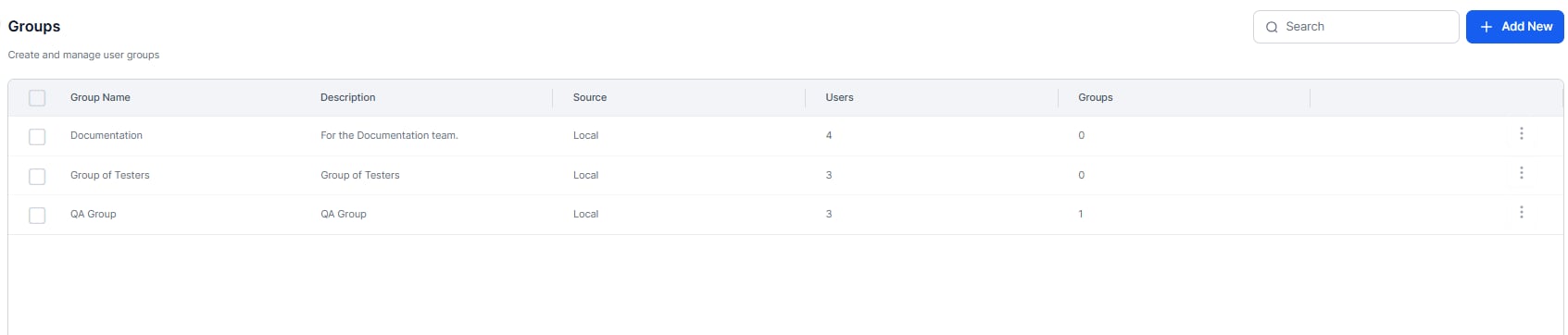
Details
The following list describes the columns displayed in the Groups listing.Using the Search Field
The list of entries in an admin console table can be extensive, depending on your company’s size. To locate specific users or groups, enter at least three characters in the Search field to start the find-as-you-type process. The number of search terms in a search query is unlimited; however, no more than the first 20 characters of each search term are used to return search results.
Creation
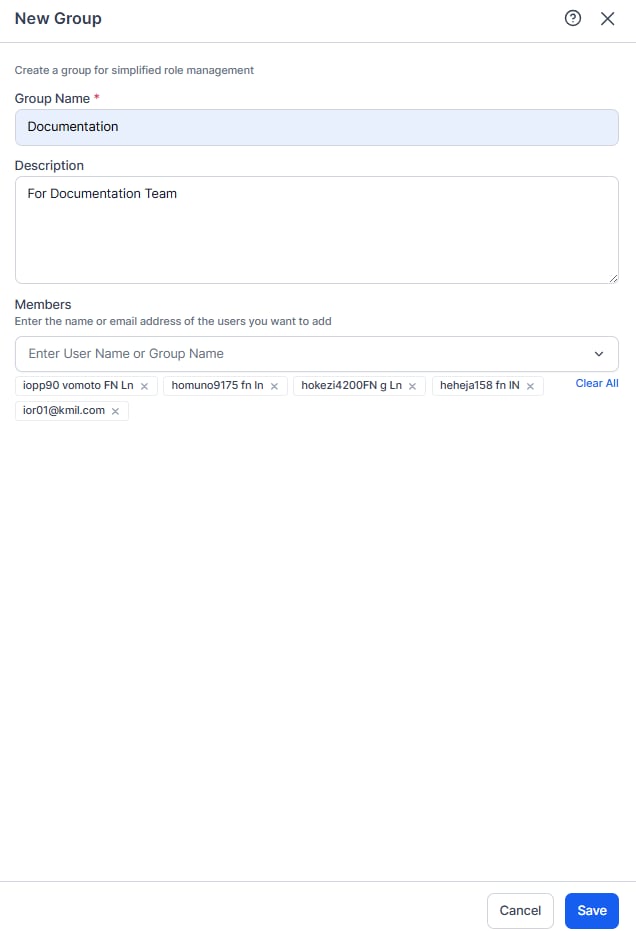
Create one or more user groups in your account based on common factors such as interests, departments, or locations. Groups created by an admin aren’t visible to end users and serve administrative purposes only. This topic explains how to create a new group and add users or existing groups to it.- In the User Management module, select Groups.
- Click Add New to open the New Group dialog.
- In the Group Name field, enter a name for the group.
- (Optional) In the Description field, enter a description for the group.
- Select the users and/or groups that you want to add to this new group.
-
Click Save. The system creates the group and returns you to the Groups page.