

dockStatusId, which can be used with the Get Dock Status API to track the export progress. The API response also includes an exportJobId for tracking the specific export job.
Additionally, the response provides a download URL. Copy and paste this URL into a browser or API client to download the exported tool file.
Where can I find the API key?
To use the API, you will need an API key. Learn more.
How to obtain toolId or callflowId for the API?
- Follow the steps mentioned here to export a tool.
- Open developer tools.
- Select the Network tab.
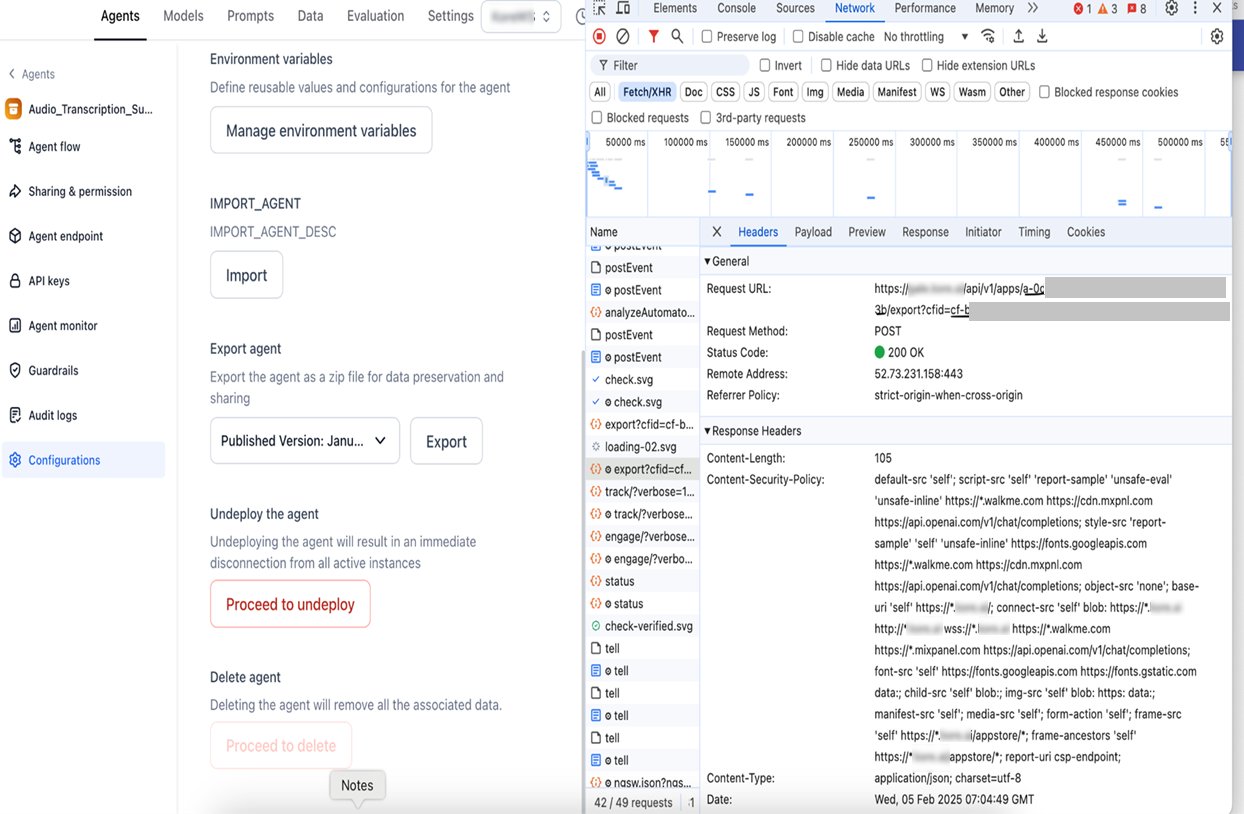
- Monitor the Export API to capture
toolIdandcallflowId.